
Tecnología e IA · CUADERNO DE IDEAS
How to Create Animations With Artificial Intelligence: A Beginner's Guide With No Design Skills
How tools that turn text or images into animation work, what you can and can't achieve today, the steps for your first short animation and what to watch out for with copyright and other people's images.
LECTURA EN VOZ ALTA
Escucha este artículo
Puedes escucharlo mientras haces otras actividades. Elige una voz y ajusta la velocidad.
Preparado para escuchar.
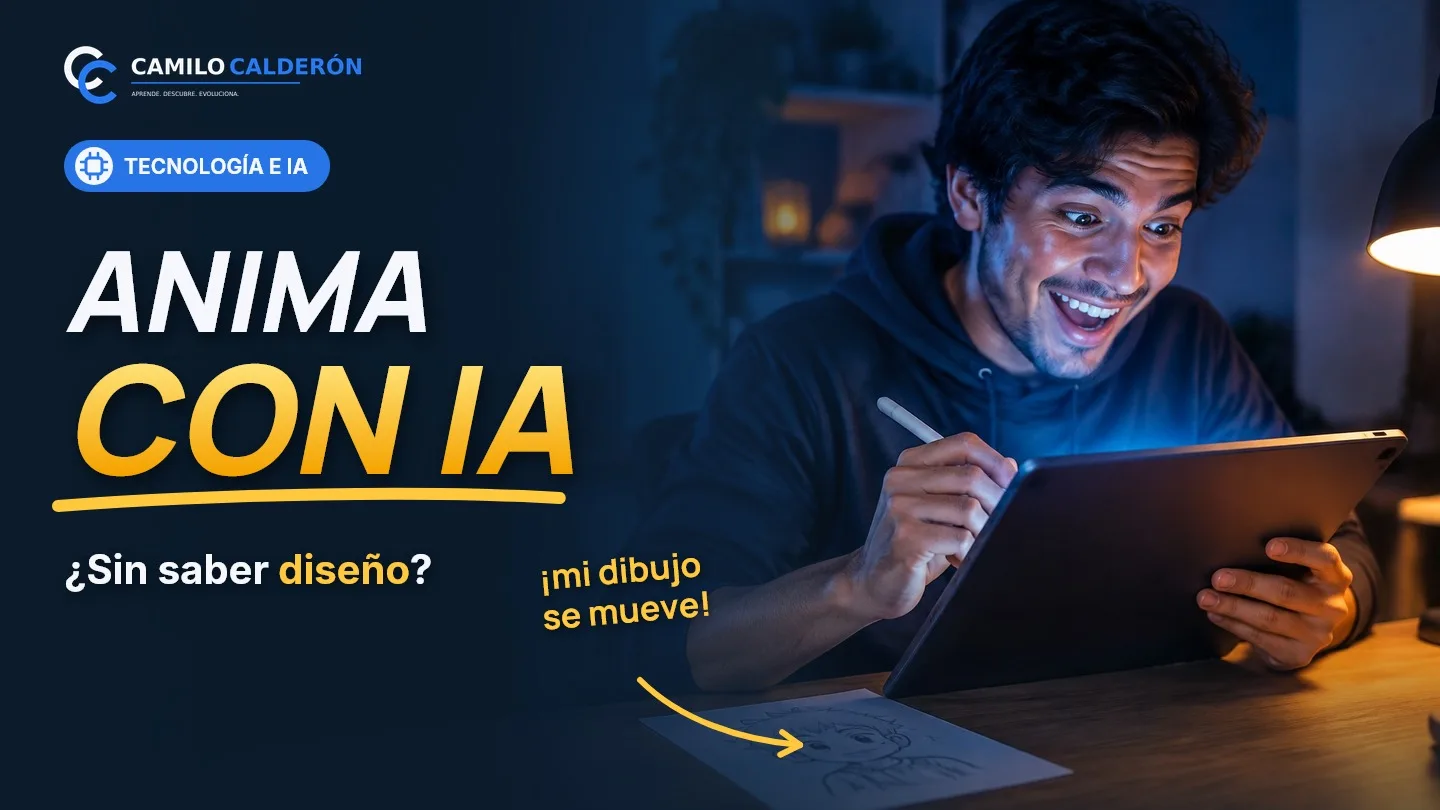
Just a few years ago, making an animation meant knowing how to draw, handling complex software and having a lot of patience. Today, with artificial intelligence tools, you can turn a photo, a drawing or a single sentence into a few seconds of animated video. But there's a gap between what the ads promise and what you can actually achieve. This guide explains how these tools work, what's possible today, how to make your first short animation and what to watch out for regarding copyright.
How AI animation tools work
Most current tools use models that learned, from huge amounts of video, how things move: how water falls, how a person walks, how a camera moves. Using that knowledge, they generate a new video frame by frame that matches your request. There are three main ways to use them:
- Text to video: you write a description («an astronaut cat floating in a space station, cartoon style») and the tool generates the clip.
- Image to video: you upload an image (a photo, an illustration, a drawing) and describe the movement. This option gives you the most control, because you decide what the character looks like.
- Animating drawings or characters: some tools detect the parts of a hand-drawn figure (arms, legs, head) and make it walk, jump or dance. A well-known example is Meta's Animated Drawings research project, designed to animate children's drawings.
Some of the most widely used platforms are Runway, Luma, Kling and Pika, and the big AI assistants are adding video features too. Options, prices and limits change almost every month, so always check the current terms before paying.
What you can achieve today (and what you can't yet)
What works well
- Short clips, a few seconds long, with high visual quality.
- Bringing a still image to life: wind moving hair, steam rising from a coffee, the camera slowly pushing in.
- Atmospheric scenes, landscapes and art styles (watercolor, claymation, anime, cartoon).
- Quick prototypes: testing an idea before investing in producing it.
What's still hard
- Keeping the same character identical across several scenes: the face, clothes or colors may change from one clip to the next.
- Hands, text and physics: extra fingers, unreadable letters or objects passing through each other.
- Long stories: a several-minute animation is built by joining many short clips and editing, not with a single click.
- Full control: the result varies every time. The usual approach is to generate several versions and keep the best one.
Your first short animation, step by step
1. Define a one-sentence idea
Start small: a 5- to 10-second clip. For example: «a smiling arepa that jumps from the frying pan onto a plate». One action, one character, one place.
2. Prepare your starting image
You can use one of your own drawings photographed in good light, an illustration you've made or an AI-generated image. Starting from your own image gives you more control over the style and avoids rights issues.
3. Write the prompt with a simple formula
A structure that works in almost every tool is: subject + action + place + style + camera. For example:
«A smiling arepa jumps from the frying pan onto a white plate, in a Colombian kitchen lit by morning light, claymation style, static camera at table height».
Describe the movement with concrete verbs (jumps, spins, walks slowly) and avoid asking for too many things at once.
4. Generate several versions and choose
Generate three or four variations, compare them and keep the best. If something goes wrong, change just one part of the prompt at a time so you understand what improves it.
5. Edit and add sound
Join your clips in an editor such as CapCut, DaVinci Resolve or your phone's built-in editor. Add a voiceover, royalty-free or platform-library music, and sound effects. Sound makes a simple animation feel professional.
6. Disclose that you used AI
Platforms like YouTube and TikTok ask creators to label realistic content generated or altered with AI. Even if your animation is clearly a cartoon, mentioning it in the description builds trust.
Copyright and other people's images: what to watch out for
- Don't upload images that aren't yours (movie characters, other artists' illustrations, photos from the internet) to animate and publish them: they may be protected by copyright. In Colombia, Law 23 of 1982 protects authors' works.
- Be careful with other people's faces. Animating someone's photo without their permission can affect their image and privacy, and it should never be done with photos of other people's children.
- Check the tool's terms: who can use what you generate commercially, whether the images you upload are used to train the model and whether you can delete them.
- Purely AI-generated material may not be protected. The U.S. Copyright Office, for example, has stated that material created solely by AI, without sufficient human contribution, can't be registered as a work. Your creative input (the idea, the drawing, the editing, the script) is what gives your work value and authorship.
Ideas to practice
- Animate a drawing by your kids, nieces or nephews and give them the video for Christmas (with their parents' permission).
- Create an animated greeting for your business using your own logo.
- Turn a photo of a landscape in your city into a moving postcard.
- Make a three-scene mini story with a character you drew yourself.
In short
Creating animations with artificial intelligence is now within anyone's reach: a starting image, a clear prompt, several attempts and a bit of editing. Start with short clips, use your own images, respect other people's work and likeness, and say that you used AI.
What would you like to animate first? Tell me in the comments and I'll give you prompt ideas.
Sources
- Meta AI Research. Animated Drawings (research project and demo for animating children's drawings).
- U.S. Copyright Office (2025). Copyright and Artificial Intelligence, Part 2: Copyrightability.
- Law 23 of 1982 (Colombia), on copyright.
- YouTube and TikTok policies on disclosing altered or AI-generated content.

CONVERSEMOS
Comentarios (0)
Comparte tu opinión o cuéntanos qué te pareció este artículo.
Todavía no hay comentarios. ¡Puedes iniciar la conversación!